
 DoseCraft
 VapeHeatLab
How to Change Ball Media in the Ruby Twist Pro (Flavor and Performance Mode)
The Ruby Twist Pro runs two setups: flavor mode with the stock 2.5mm rubies and the cyclone widget, or performance mode with the widget out and more balls in. This guide walks the full media swap in both directions, start to finish, in about four minutes.
The Ruby Twist Pro has two personalities, and moving between them is a four minute job. This is the full ball media change, start to finish, with nothing skipped.
If you're new to the device and want the full rundown of what the Pro changes, the review covers it. This guide is just the swap.
Flavor mode vs performance mode
Flavor mode is how the Pro ships: 2.5mm ruby balls with the cyclone widget installed. Performance mode is what you get when you pull the widget and fill the space it leaves behind with more balls. Ruby, silicon carbide, whatever you run, the mode is about quantity, not material.
More media means more thermal mass sitting in the head, and more thermal mass means bigger sessions with draws that stay consistent instead of fading. That's the whole appeal. The flip side is that bigger hits make it very easy to keep taking bigger hits, so ease into it.
The swap, step by step
The teardown is short: we pull the heat guard, take out the screens, and empty the ball media. That's the entire disassembly.
Rebuilding is the same trip in reverse. In the video I go back to stock, so the 2.5mm rubies go in and the cyclone widget goes back to its home. Watch how everything seats and it's hard to get wrong.
Going to performance mode instead
Same video, opposite direction. My Pro started out in performance mode, so you'll see exactly how that setup comes apart: no widget, more balls. If that's where you're headed, leave the widget out and give its space to extra media.
That's the swap. Take care of your balls and they'll take care of you.
Frequently Asked Questions
What is performance mode on the Ruby Twist Pro?
What size balls does the Ruby Twist Pro use?
Can you use silicon carbide balls in the Ruby Twist Pro?
How long does a Ruby Twist Pro ball swap take?
Where to Buy
- Ruby Twist Pro at the Stash Shack (stacks with sales)affiliate5% with code herbistry420
- Learn more about the Ruby Twist Pro at Crossing Tech
- 3mm Silicon Carbide balls at JCVAP (code herbistry420 for 15% off)affiliate10% with code herbistry420
Some links above are affiliate links. We may earn a commission at no extra cost to you.
From the Shop
See all

Related Posts
Hash in a Ball Vape: How I Run It in the Universal Baller at 626°F
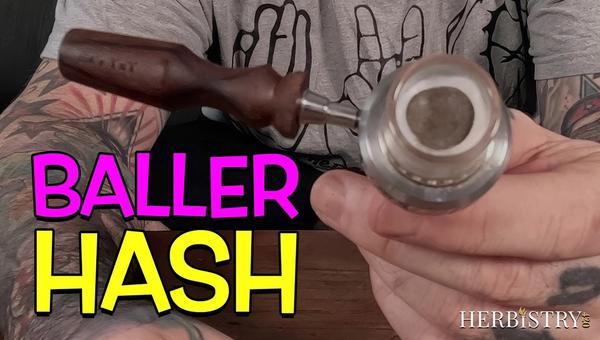
Part two of the Universal Baller run, this time with hash. 626°F with the quartz insert out, a small disc of filtered 4 star on a Cotton Bacon screen, a 30 second heat soak and then small puffs to build heat in the bowl. The thing that decides the session is heat stacking, so the real skill is loading an amount you can finish before the window closes.
How to Vape Hash Using the Universal Baller and Torch Vape Adapter
A HyperDyn tip with no cap, dropped into the Universal Baller torch vape adapter at 626°F (330°C), loaded with traditional hash pressed thin on the walls of the tip. How I load it, why the hash goes on the sides and not the screen, Cotton Bacon or not, how to keep the tip from getting stuck, and cleanup.
Ball Vape Microdose: One Hit at 554°F in the Universal Baller
Converting the Universal Baller out of its 1000 ruby performance mode into the full ruby insert, then adding the TMJ adapter for the thermal mass. 554°F (290°C) with a 60 second heat soak, a small puff to get in and then one hard pull. One hit, session over, which is the best microdose I have had out of any vape I own.