
 DoseCraft
 VapeHeatLab
Change DaVinci Artiq Power Setting: 5 Easy Tips
Want to change DaVinci Artiq power setting but not sure how? This guide covers all 3 power settings, what each one does, and which davinci artiq voltage works best for your 510 battery vape cart sessions. It only takes a second once you know the trick. How to Change DaVinci Artiq Power Setting The DaVinci ...
Want to change DaVinci Artiq power setting but not sure how? This guide covers all 3 power settings, what each one does, and which davinci artiq voltage works best for your 510 battery vape cart sessions. It only takes a second once you know the trick.
How to Change DaVinci Artiq Power Setting
The DaVinci Artiq has 3 power modes accessible with a simple button sequence. Here’s how:
- Make sure the device is powered on (5 clicks to toggle power)
- Press the button 3 times to cycle through the artiq power modes
- The LED at the top changes color to show the current level
No menus, no app, no complexity — just 3 clicks and you’re done. The change davinci artiq power setting process takes under a second.
Artiq Power Modes Explained
The artiq blue yellow red setting system makes it easy to know your current level at a glance:
- Blue (Low): Lowest voltage. Minimal vapor but maximum flavor — great for terpene-forward sessions.
- Yellow (Medium): Balanced vapor and flavor. The most popular choice for everyday sessions.
- Red (High): Maximum vapor production. More heat, which may slightly reduce flavor. Best when you need big clouds or your cart is running low.
The cycle goes: Blue → Yellow → Red → Blue. Three presses step you forward one level at a time.
Best DaVinci Artiq Voltage for Your Session
For most vaping sessions with 510 carts, Yellow is the sweet spot. It gives solid vapor without sacrificing the flavor profile of your oil. Move to Red when you want bigger clouds or need to drain a nearly-empty cart. Drop to Blue if you’re using high-quality terpene-rich oil and want to taste every note.
Thicker, higher-viscosity oils tend to hit better at Yellow or Red. Thin distillate performs well at any level. Try each of these settings over a few sessions to find what works best for your specific oil. The davinci artiq voltage flexibility is one of the reasons this device is popular among 510 battery users. Experimenting with each level is quick and risk-free — press the button three times and compare results across a few sessions.
Battery Check and Other Button Functions
A single press of the power button shows battery level — Green means above 60% charge. This is separate from the power mode indicator. Knowing your battery level before a session helps avoid running out mid-cart. The five-click sequence handles power on/off. These simple controls make the Artiq one of the most user-friendly 510 battery vape cart devices available.
Frequently Asked Questions
How many artiq power modes are there?
What setting is best for flavor on the DaVinci Artiq?
Does the color-coded heat setting affect my oil?
Is the DaVinci Artiq good for vaping 510 carts?
References
Where to Buy
Some links above are affiliate links. We may earn a commission at no extra cost to you.
From the Shop
See all

Related Posts
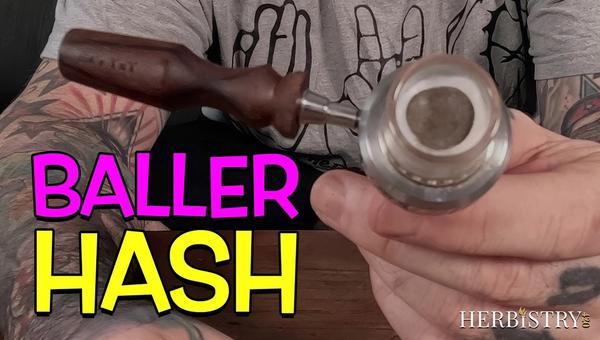
Hash in a Ball Vape: How I Run It in the Universal Baller at 626°F
Part two of the Universal Baller run, this time with hash. 626°F with the quartz insert out, a small disc of filtered 4 star on a Cotton Bacon screen, a 30 second heat soak and then small puffs to build heat in the bowl. The thing that decides the session is heat stacking, so the real skill is loading an amount you can finish before the window closes.
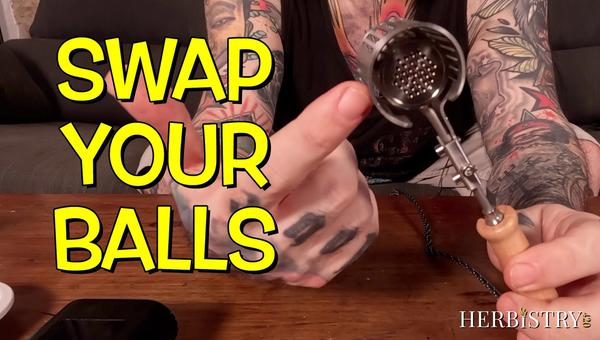
How to Change Ball Media in the Ruby Twist Pro (Flavor and Performance Mode)
The Ruby Twist Pro runs two setups: flavor mode with the stock 2.5mm rubies and the cyclone widget, or performance mode with the widget out and more balls in. This guide walks the full media swap in both directions, start to finish, in about four minutes.

What Is AVB? Why You Should Never Throw Away Vaped Bud
What is AVB? If you've been dry herb vaping and throwing away the spent material at the end of each session, you've been throwing away something valuable. AVB — Already Vaped Bud (also called ABV, Already Been Vaped) — is the cannabis left over after vaporizing, and it's still worth using. In this guide, we'll ...