
 DoseCraft
 VapeHeatLab
How to Label Homemade Edibles: What Goes on Every Jar
An edible with no label is a dare. Here is what actually belongs on the jar, name, strength, date, how much infusion went in, and a keep away warning, plus how to print the labels at home onto real die-cut sheets. Covers the 13 built in sheet layouts for Letter and A4, why you buy by size rather than by brand, and the alignment nudging that gets the print inside the die cuts.
by FordeeAn edible with no label is a dare. You know what it is on the day you make it, and three weeks later it's a mystery square in a container next to the butter, and somebody is going to eat it.
So here's what actually belongs on the jar, and how I print the labels at home onto real die-cut sheets instead of writing on masking tape.
What goes on the label
Five things, in the order I'd fight to keep them:
- The name, so you know which batch you're holding
- The strength, which is the whole reason the label exists
- The date you made it
- How much infusion went in, for when you want to make it again
- A keep away from children and pets warning
The warning prints last, and it's the first thing to drop if the label runs out of room. That ordering is deliberate. On a tiny address label something has to give, and the name is what makes the label useful to you at all.
The sheets
There are 13 sheets built in, and you pick yours by the part number printed on the box you bought. Laser and inkjet are both covered and it tells you which one you're looking at. Letter or A4, depending on where you are.
Letter:
- Avery 5160, or 8160 for inkjet. 2-5/8 x 1 inch, 30 to a sheet
- Avery 5163, or 8163 for inkjet. 4 x 2 inch, 10 to a sheet
- Avery 5168. 3-1/2 x 5 inch, 4 to a sheet
- Avery 5293. 1-5/8 inch round, 24 to a sheet
- Avery 5294. 2-1/2 inch round, 12 to a sheet
- Avery 22806. 2 inch square, 12 to a sheet
- Avery 94069. 2 inch square, 20 to a sheet
- Avery 94076. 2-1/2 inch square, 12 to a sheet
A4:
- Avery L7160, or J8160 for inkjet. 63.5 x 38.1 mm, 21 to a sheet
- Avery L7163, or J8163 for inkjet. 99.1 x 38.1 mm, 14 to a sheet
- Avery L7164, or J8164 for inkjet. 63.5 x 72 mm, 12 to a sheet
- Avery L7169, or J8169 for inkjet. 99.1 x 139 mm, 4 to a sheet
- Avery L3415. 40 mm round, 24 to a sheet
Buy by size, not by brand. The layout is what matters, so a generic sheet sold as compatible with L7160 and the like prints exactly the same. I've done it.
Getting the print to land in the die cuts
This is the part that makes or breaks home label printing, and it's why most people give up and go back to a marker. Printers disagree with each other about where the page starts.
Print the test page, see where it landed, then tap the arrows to nudge the whole grid half a millimeter at a time until it sits where it should. It saves as you tap, so you print, look, nudge, print again. Once it's right for your printer, it stays right.
Making it look like yours
- Put your own logo on it, and it works out where that sits from the shape of the label
- Three styles: plain, or your accent color at two strengths
- The type sizes itself to fill the label, so a big sticker doesn't print address-label small
- Contrast is handled for you, so the warning stays readable on every color
Not wasting a half-used sheet
Everybody has that sheet with six labels missing out of the corner. Tap the first empty label and printing starts there instead of at the top left. There's also sideways text, icons, and a copies count, so you can fill a sheet with one batch or split it across a few.
What the label can and can't tell you
The label prints what you type into it. DoseCraft estimates how strong a batch works out to from the numbers you enter, it does not test anything, and it cannot know what is actually in your jar. Wrong numbers in, wrong label out.
None of this is a recommendation to take any particular amount. If you don't know your tolerance, start low and go slow. A label is there so you and everyone else in the house know what they're looking at, which is a much lower bar than knowing exactly what it will do to you.
If the numbers part is what you're stuck on rather than the printing, I walked through calculating edible dosage here.
Going unlabelled is on my list of common edible mistakes, and it's the one that catches other people in your house rather than you.
And if you want the rest of what the app does, the full DoseCraft walkthrough is here.
Label printing is a DoseCraft Pro feature. The track playing under the intro is mine, Where's My Lighter?.
Avery and its product codes are trademarks of Avery Products Corporation. DoseCraft isn't affiliated with Avery or endorsed by them, and the layouts work with any compatible sheet.
Frequently Asked Questions
What should you put on a homemade edible label?
Can you print edible labels at home?
Do you need Avery brand label sheets?
Why do my printed labels not line up with the sheet?
Does the label tell you how strong the edible actually is?
References
Where to Buy
From the Shop
See all

Related Posts

Weed Sweet Tea Recipe — 5 Easy Steps
This weed sweet tea recipe from Herbistry420 is one of the most refreshing cannabis drinks you can make. The trick is emulsification — using honey to bind cannabis MCT oil into water-based tea so the THC stays distributed evenly throughout every sip. This MCT oil emulsified tea recipe delivers around 60mg or more of THC ...

How to Make Weed Firecrackers — 3 Simple Steps
If you want to know how to make weed firecrackers, you just found the easiest tutorial on the internet. Cannabis firecrackers are the simplest edible you can make — no infusion, no double boiler, no special equipment. All you need are saltine crackers, peanut butter, and decarbed cannabis. Fordee at Herbistry420 calls this the easiest ...
How-To Calculate Edible Dosage Backwards: 3 Simple Steps
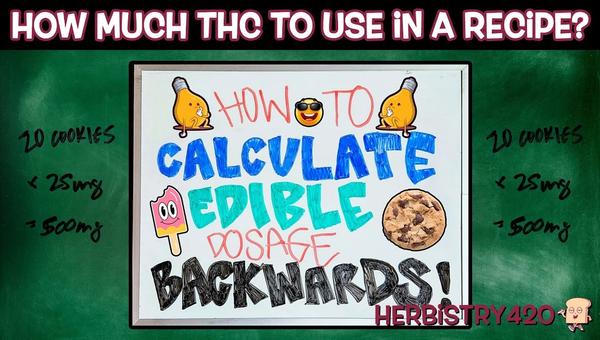
How-To calculate edible dosage backwards is one of the most useful skills for anyone making cannabis edibles at home. Instead of guessing how strong your batch will be, you start with your target milligrams per serving and work back to the exact grams of cannabis you need. This 3-step guide walks you through the math ...