
 DoseCraft
 VapeHeatLab
 ManualFree trial
Incognito
An Audio Unit (AU) and VST3 voice changer plugin for Mac, by Herbistry LLC
Incognito works inside Logic Pro, Ableton Live, Final Cut Pro, and more, letting you transform any voice in your project. Turn someone into a robot, an alien, a monster, or a deep trailer narrator with a single click. Push a voice through a telephone, an old radio, or a megaphone. It is the fun, plainly-named voice toolkit your audio apps have been missing.
And when you need to protect someone's identity, the Anonymize feature does the heavy lifting. It hides who is talking with industry-standard voice anonymization while keeping every word clear. Great for protecting a source, a guest, or anyone who wants to stay anonymous.

An Audio Unit (AU) and VST3 plugin. Works in Logic Pro, Ableton Live, Final Cut Pro, and other AU and VST3 apps on Mac.
Demo video coming soon
What it does
One small set of controls, a stack of one-click voices, and a real privacy tool built in.
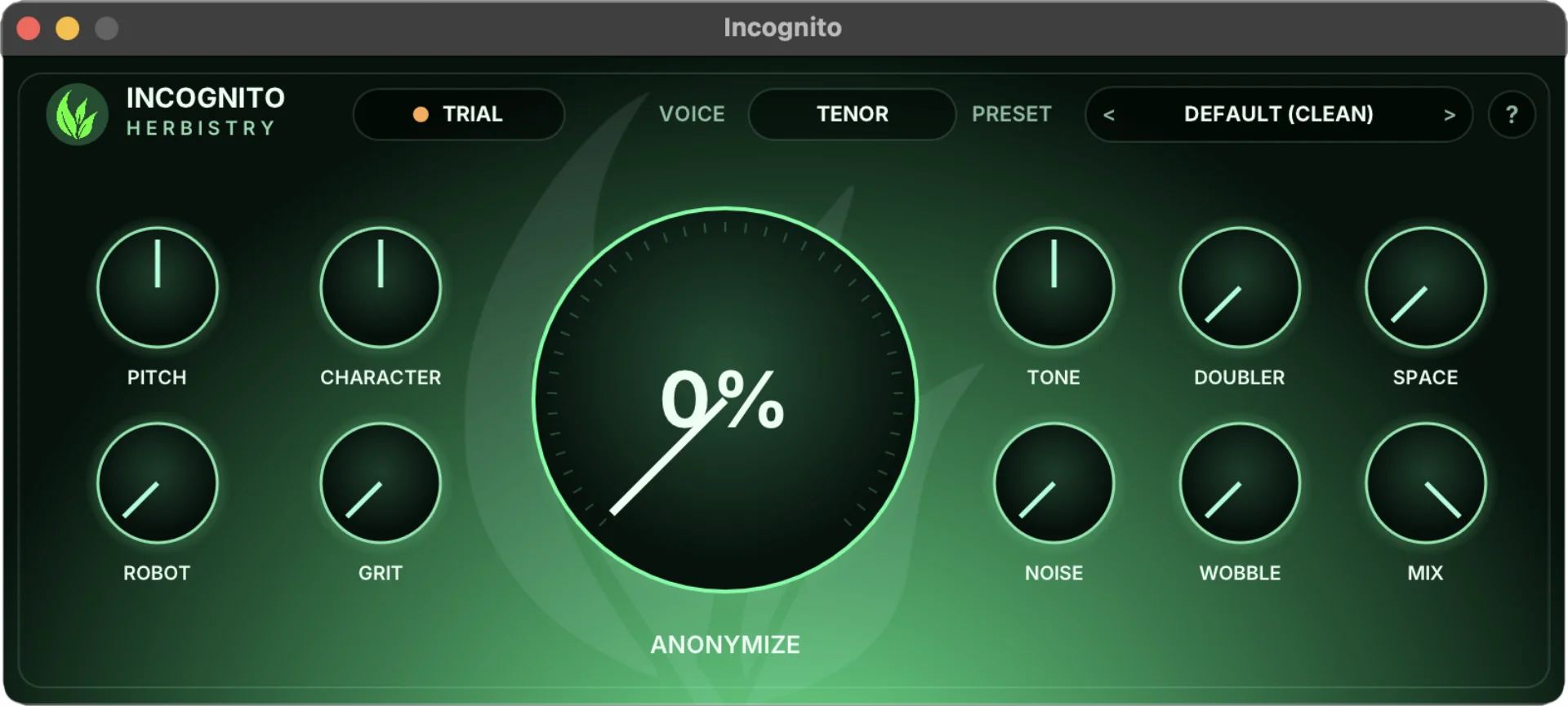
The whole plugin on one panel. Voice knobs on the left, the Anonymize dial in the middle, tone and space on the right.
Character voices
Robot, alien, monster, chipmunk, ghost, deep trailer narrator. One click and you are there. No filter-stacking, no guesswork.
Through a device
Run a voice through a telephone, an old radio, or a megaphone. The classic looks, done right and named in plain English.
Feminine and masculine leans
Nudge a voice more feminine or more masculine. Honest and characterful, not a fake swap that falls apart the second someone listens close.
Anonymize
The headline feature. Hide who is talking with industry-standard voice anonymization that keeps every word clear and intelligible. Built for protecting a source, a guest, or anyone who wants to stay anonymous.
Dial it in
Start from a preset, then tweak it. Simple controls for pitch, character, grit, space, and mix when you want to go past the one-click sounds.
Common questions
Is there a free trial?
Yes, and it's the real thing, not a crippled demo. Download Incognito, drop it on a track, and every feature works with no time limit. The only catch: a quiet marker tone plays every so often so you know you're on the trial. Add a license key and it's gone, and your exports come out clean.
What do I get when I buy?
A license key. There's only one download, the same trial you already have, and the key unlocks it into the full version. No second installer, no separate pro file to hunt down. Enter the key once and you're set.
Where's my license key?
It arrives by email in your receipt. Our checkout is handled by Lemon Squeezy, so the receipt and the key come from them, and you can always find the key again in your Lemon Squeezy account. If it's not in your inbox, check your spam folder before you panic.
I lost my license key. How do I get it back?
No drama. First, check your inbox: the key is in the receipt email Lemon Squeezy sent when you bought. Still stuck? Sign in to that same Lemon Squeezy account with the email you purchased with and your key and downloads are waiting. Open your Lemon Squeezy orders →
How do I activate it?
In your host, whether that's Logic, Ableton, Final Cut Pro or another AU or VST3 app, add Incognito to a track, click the Trial pill at the top, paste in your key, and activate. You only do it once, and it remembers.
Does Incognito send my audio anywhere?
No. It does all its work right there on your Mac and never listens to, records, or uploads your audio. The only thing that ever leaves your computer is a quick check to confirm your license key. For a tool that's partly about keeping a voice private, that matters to us.
Can I get a refund?
Because the free trial lets you try every feature before you spend a cent, license purchases are final. Take the trial for a proper spin first, that's exactly what it's there for. If something's actually broken, get in touch and we'll sort it out.
Get Incognito
Incognito for Mac. Download the free trial and dial in your voice, then drop in a license key when you want clean exports.